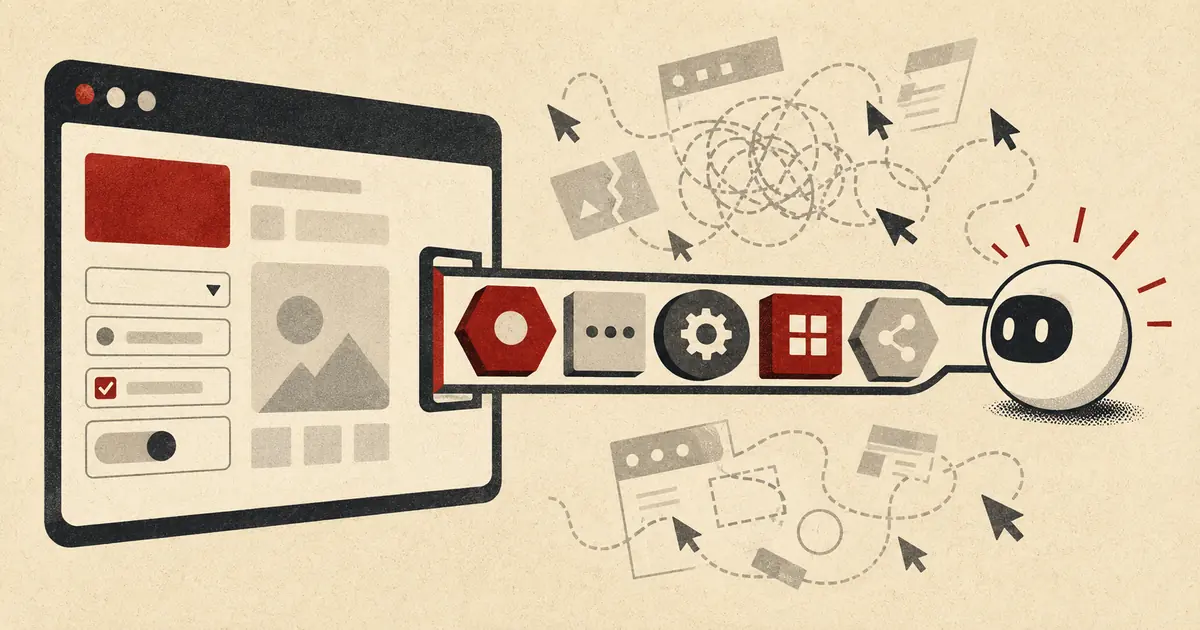
The WebMCP API lets a live webpage expose structured tools that a browser agent can discover and call. Instead of guessing which button to click or how a custom date picker works, the agent receives an explicit name, description, input schema, and page-owned execution path. The API is promising, but it is still experimental and requires a visible browser context—not a headless replacement for every API or automation system.
In this guide, you'll learn:
- What the WebMCP API actually does
- Which browsers support WebMCP now
- Build a declarative WebMCP form tool
- Register an imperative tool with JavaScript
- Manage tool lifecycle and page state
- Secure WebMCP tools and cross-origin frames
- Test tools as contracts, not demos
- Know when not to use WebMCP
- Frequently Asked Questions
What the WebMCP API actually does#
WebMCP is a browser-side contract between a visible page and an agent operating in that browsing context. The page registers actions as tools; the browser mediates discovery and invocation; the page's existing JavaScript, form handling, authentication, and UI state perform the work.
That boundary matters. WebMCP does not give an arbitrary remote model direct access to your backend. It does not make a website callable while its tab is closed, and it does not remove the need for server authorization. Chrome's current WebMCP documentation states that a tab or webview must be open because tool handlers execute in the page.
The normal lifecycle is:
- The page registers a tool with a name, description, and input definition.
- A browser agent discovers tools available in the current page and origin.
- The agent supplies structured arguments.
- The browser invokes page-owned form or JavaScript behavior.
- The page visibly updates and returns a result to the agent.
This is more maintainable than asking an agent to infer intent from every DOM node. A visual redesign can move a button without changing the tool contract. It also complements the site's collection of private browser-based developer tools: client-side logic remains useful, but WebMCP adds an agent-facing action surface to the human interface.
WebMCP versus MCP, APIs, and browser automation#
| Approach |
Where it runs |
Needs an open page |
Best use |
Main limitation |
| WebMCP |
Live browser document |
Yes |
User-visible actions that reuse page state |
Experimental browser support |
| Backend MCP server |
Server or local process |
No |
Agent access to services, data, and remote tools |
Separate server, transport, and auth boundary |
| REST or GraphQL API |
Server |
No |
Stable application-to-application integration |
Not automatically exposed as agent tools |
| DOM or screenshot automation |
Browser |
Usually |
Sites you do not control |
Fragile inference and multi-step actuation |
WebMCP is the right layer when the page itself owns essential context: a signed-in session, currently selected records, a configured product, an unsaved form, or a user-visible approval. Use backend MCP when the operation should work independently of a tab. If you expose remote MCP services, apply proper token discovery and validation rather than assuming the browser session covers them; the remote MCP authentication guide covers that separate boundary.
Which browsers support WebMCP now#
As of July 23, 2026, WebMCP should be treated as an experimental Chrome capability, not a cross-browser production baseline. Chrome documents an origin trial beginning with Chrome 149 and a local development flag at:
chrome://flags/#enable-webmcp-testing
Enable the flag, relaunch Chrome, and test on a secure local or hosted origin. Do not ship a critical workflow that disappears entirely in unsupported browsers. Keep the ordinary form, button, or application action working for human users and treat WebMCP as progressive enhancement.
Current API naming is another source of confusion. Older explainers and examples use navigator.modelContext. Chrome's imperative API documentation, updated July 1, says that surface is deprecated in Chrome 150 and developers should use document.modelContext. Feature-detect the API instead of parsing browser versions:
export function supportsWebMCP() {
  return "modelContext" in document;
}

if (!supportsWebMCP()) {
  console.info("WebMCP is unavailable; the standard UI remains active.");
}
The fallback is not a second agent implementation. It is the normal website. Users must still be able to complete the task through accessible HTML and JavaScript when no WebMCP-capable agent is present.
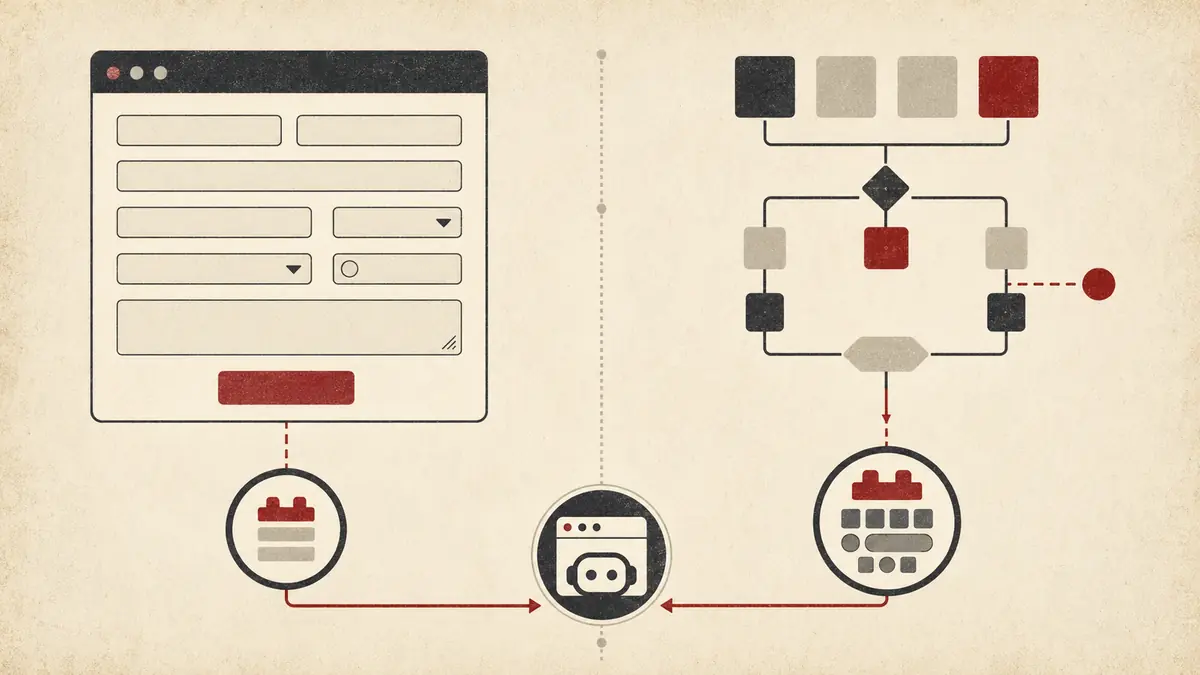
Use the declarative API for an operation that already maps cleanly to a standard HTML form. Add toolname and tooldescription to the <form>. Existing form controls become tool parameters, while toolparamdescription can clarify a field whose label does not provide enough machine-readable meaning.
<form
  id="support-request"
  toolname="create_support_request"
  tooldescription="Create a support request for the signed-in user."
>
  <label for="category">Category</label>
  <select
    id="category"
    name="category"
    required
    toolparamdescription="Route the request to billing, account, or technical support."
  >
    <option value="billing">Billing</option>
    <option value="account">Account</option>
    <option value="technical">Technical</option>
  </select>

  <label for="details">Problem details</label>
  <textarea id="details" name="details" required></textarea>

  <button type="submit">Review request</button>
</form>
Without toolautosubmit, the browser can populate and focus the form while the user retains the final submit action. That is the safer default for purchases, messages, support tickets, account changes, and other writes. Add toolautosubmit only when automatic submission is an intentional product decision.
The declarative API extends SubmitEvent with agentInvoked, which lets your handler distinguish an agent-triggered submission. It also provides respondWith() for returning an asynchronous result to the agent after calling preventDefault().
const form = document.querySelector("#support-request");

form.addEventListener("submit", (event) => {
  event.preventDefault();

  const payload = Object.fromEntries(new FormData(form));
  const operation = fetch("/api/support-requests", {
    method: "POST",
    headers: { "Content-Type": "application/json" },
    body: JSON.stringify(payload),
  }).then(async (response) => {
    if (!response.ok) {
      throw new Error(`Request failed with status ${response.status}`);
    }
    return response.json();
  });

  if (event.agentInvoked && typeof event.respondWith === "function") {
    event.respondWith(operation);
  } else {
    operation
      .then(() => form.reset())
      .catch((error) => console.error(error));
  }
});
The server endpoint must apply the same authorization and validation regardless of who submitted the form. agentInvoked is useful UI context, not proof of identity or permission.
Use native labels, required fields, meaningful name attributes, and constrained controls such as <select> where possible. Better form semantics help screen readers, keyboard users, test automation, and agents simultaneously.
Choose the imperative API when the operation involves dynamic page state, several UI components, conditional behavior, navigation, or an existing application service that cannot be expressed as one form.
This example registers a read-only tool for filtering the current product list. It validates the current category in application code even though the input schema already supplies an enum; tool schemas improve generation, but execution still needs defensive checks.
const allowedCategories = new Set([
  "all",
  "accessories",
  "components",
  "software",
]);

export async function registerProductFilterTool(productView) {
  if (!("modelContext" in document)) {
    return () => {};
  }

  const controller = new AbortController();

  await document.modelContext.registerTool(
    {
      name: "filter_products",
      description:
        "Filter the visible product list by category without purchasing anything.",
      inputSchema: {
        type: "object",
        properties: {
          category: {
            type: "string",
            enum: [...allowedCategories],
          },
        },
        required: ["category"],
        additionalProperties: false,
      },
      annotations: {
        readOnlyHint: true,
        untrustedContentHint: false,
      },
      async execute({ category }) {
        if (!allowedCategories.has(category)) {
          throw new TypeError("Unsupported category");
        }

        const visibleCount = productView.filterByCategory(category);
        return {
          category,
          visibleCount,
        };
      },
    },
    { signal: controller.signal },
  );

  return () => controller.abort();
}
The returned cleanup function unregisters the tool through its AbortSignal. Tie that cleanup to the page, route, component, or authentication lifecycle that owns the capability.
Keep tool results narrow and structured. Returning an entire DOM snapshot wastes context and can expose unrelated content. The same selection discipline used in context engineering for AI agents applies here: return what the next decision needs, not everything the page knows.
Manage tool lifecycle and page state#
A tool should exist only while its action is valid. Registering checkout on an empty cart, delete_record before a record is selected, or save_draft after sign-out gives the agent stale capabilities.
Use an AbortController per lifecycle scope:
- page-level tools live until navigation;
- route-level tools live until the SPA route changes;
- component tools live while the component is mounted;
- selection-dependent tools live while that selection remains active;
- authenticated tools are removed immediately on logout or session loss.
In a React component, the registration function above can be attached to useEffect:
import { useEffect } from "react";

export function ProductAgentTools({ productView }) {
  useEffect(() => {
    let unregister = () => {};
    let disposed = false;

    registerProductFilterTool(productView).then((cleanup) => {
      if (disposed) cleanup();
      else unregister = cleanup;
    });

    return () => {
      disposed = true;
      unregister();
    };
  }, [productView]);

  return null;
}
Do not register duplicate tools on every render. Keep the registration owner stable and update application state through stable service methods. If the set of valid operations changes, unregister the old tool and register the new contract rather than teaching the executor to interpret an ever-growing collection of hidden states.
The page can listen for toolchange when an author-provided agent UI needs to refresh its list. A built-in browser agent may handle discovery itself. Avoid polling getTools() continuously; tool availability should follow explicit application events.
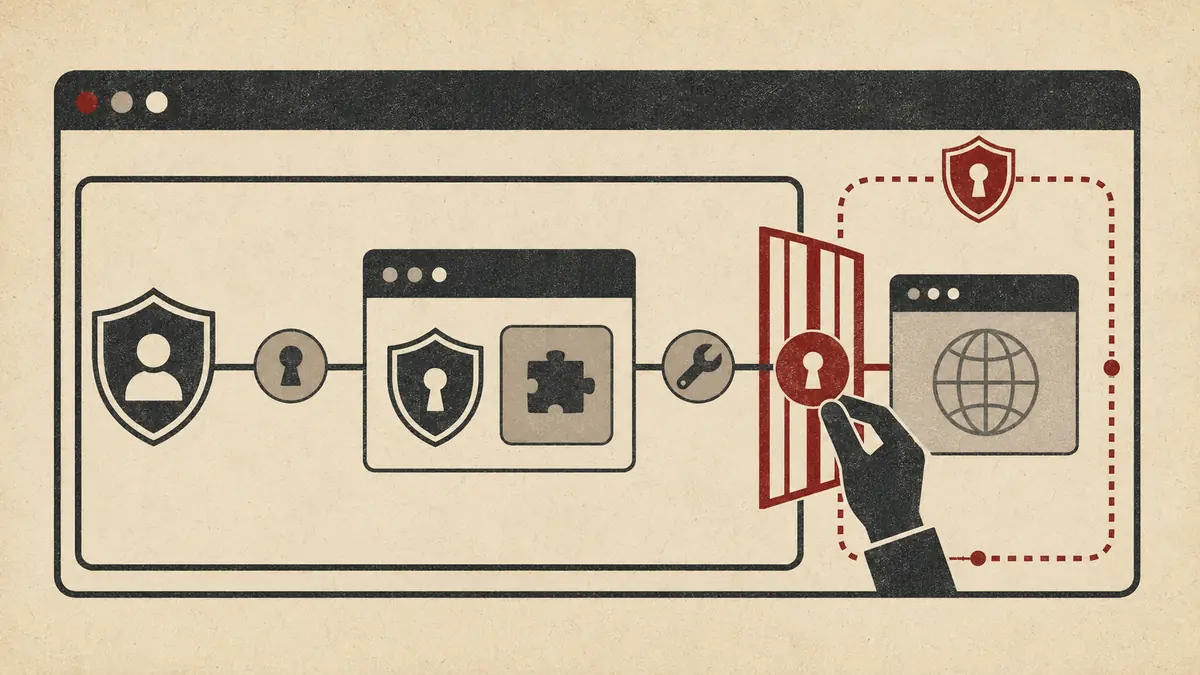
WebMCP narrows interaction into structured tools, but structured does not mean trusted. The model controls tool arguments, page content may contain prompt injection, and a write tool can still trigger a real side effect.
Build each executor as if it were a public endpoint:
- validate arguments at runtime;
- derive user and tenant identity from the authenticated session;
- recheck object ownership for every operation;
- require visible confirmation for consequential writes;
- use idempotency keys for retryable mutations;
- rate-limit expensive or destructive operations;
- return the minimum result necessary;
- log decisions without recording secrets or sensitive form values.
Tool annotations such as readOnlyHint describe behavior to the agent; they do not enforce it. Enforcement belongs in the function and backend. This follows the same principle as an AI coding-agent permission contract: instructions influence selection, while capability boundaries control the blast radius.
WebMCP is available only in origin-isolated documents. Chrome documents that enabling document.domain—including opting out through Origin-Agent-Cluster: ?0—disables the API.
The tools Permissions Policy defaults to self. Top-level and same-origin frames can register tools, while cross-origin iframes cannot unless the parent delegates permission:
<iframe
  src="https://trusted-widget.example/"
  allow="tools"
  title="Trusted support widget"
></iframe>
Permission delegation alone is insufficient. A cross-origin tool must also use exposedTo to name the secure origins allowed to discover and execute it, and the consuming document must request that origin through getTools({ fromOrigins: [...] }).
await document.modelContext.registerTool(
  {
    name: "get_widget_status",
    description: "Return the current status of the embedded support widget.",
    inputSchema: {
      type: "object",
      properties: {},
      additionalProperties: false,
    },
    execute() {
      return { ready: true };
    },
  },
  { exposedTo: ["https://app.example.com"] },
);
Use exact HTTPS origins. Do not expose tools to broad wildcard partners merely to simplify integration. Cross-origin access is a trust relationship and should be reviewed like CORS, OAuth redirect URIs, or postMessage target origins.
Chrome provides a Model Context Tool Inspector extension for exercising tools with natural-language prompts. That is useful exploratory testing, but production confidence needs deterministic tests around the page-owned contract.
For every tool, test:
- valid arguments produce the expected visible UI state and structured result;
- missing, additional, malformed, and boundary values fail safely;
- unauthenticated and cross-tenant requests are rejected server-side;
- repeated write calls do not duplicate side effects;
- cancellation stops work where practical;
- route changes and logout unregister tools;
- unsupported browsers retain the complete human workflow;
- cross-origin frames cannot register, discover, or execute tools without every required gate;
- tool descriptions do not promise behavior the executor cannot guarantee;
- sensitive data is absent from results, errors, and telemetry.
Also evaluate selection, not only execution. If two tools have overlapping names and descriptions, an agent may choose the wrong one even when both handlers are correct. Use distinct verbs, narrow scopes, and descriptions that say what the tool does and does not do.
Keep destructive actions separate from discovery and preview. find_invoices, preview_refund, and issue_refund are safer contracts than one ambiguous manage_invoice tool. The final action can require a user confirmation while the first two remain read-only.
Know when not to use WebMCP#
Do not use WebMCP as the only integration layer when the task must run with no open tab, on a server schedule, in a CI pipeline, or across many websites you do not control. A backend API or MCP server is a better fit for those environments.
Avoid it as a hard dependency while browser support remains experimental. The right 2026 deployment model is progressive enhancement: preserve the accessible website, add WebMCP to a few high-value actions, measure tool selection and completion, and keep the contract isolated enough to change as the proposal evolves.
WebMCP is also unnecessary for every button. Register tools at the level of user intent, not DOM mechanics. An agent needs search_catalog, not separate tools for focusing an input, typing a character, opening a dropdown, and clicking submit. Exposing UI primitives recreates brittle automation behind a different interface.
Finally, do not use page tools to bypass deliberate friction. Reauthentication, payment confirmation, legal consent, and destructive-action review exist for a reason. WebMCP can populate or prepare those flows while leaving the final decision visible and human-controlled.
Frequently Asked Questions#
Is the WebMCP API available in stable browsers?#
WebMCP remains experimental as of July 23, 2026. Chrome documents an origin trial beginning with Chrome 149 and a local testing flag. Production sites should feature-detect document.modelContext and keep the normal human interface fully functional.
Should I use document.modelContext or navigator.modelContext?#
Use document.modelContext. Chrome's current imperative API documentation says navigator.modelContext is deprecated in Chrome 150, although older articles and examples still show it. Feature detection is safer than relying on a specific browser version.
What is the difference between declarative and imperative WebMCP?#
Declarative WebMCP annotates standard HTML forms with attributes such as toolname and tooldescription; the browser derives the tool parameters from form controls. Imperative WebMCP registers JavaScript tools through document.modelContext.registerTool(), which fits dynamic state, navigation, and multi-component actions.
Does WebMCP replace a backend MCP server?#
No. WebMCP exposes actions from an open, visible webpage and reuses its live UI and session context. A backend MCP server is the better choice for headless, scheduled, remote, or service-level operations that should work without a browser tab.
Not by default. The parent must delegate the tools permission, the iframe must explicitly expose its tool to the consuming secure origin, and the consumer must request tools from that origin. Server-side authorization is still required for any protected operation.
Conclusion#
WebMCP gives websites a cleaner agent interface without replacing the human UI or backend security model. Start with one visible, bounded workflow; use document.modelContext, unregister state-dependent capabilities, keep writes approval-aware, and ship the feature as progressive enhancement while browser support and the proposal continue to evolve.
 By Amaresh Adak13 min read
Comments
Sign in to join the discussion.
No comments yet. Be the first to share your thoughts.