GitHub Copilot content exclusions now apply in the GitHub Copilot app and Copilot CLI, closing an important gap for agentic workflows. That September 2, 2026 change also makes older guidance misleading: exclusions now cover those two clients, but they still do not cover every Copilot mode, filesystem path, or indirect source of context.
This guide shows how to design exclusion rules that are narrow enough to test, broad enough to protect the intended content, and honest about what they cannot enforce. It includes current pattern syntax, policy scope, a read-only REST audit, rollout tests, and the controls that still belong outside Copilot.
Table of contents#
What changed for GitHub Copilot content exclusions#
On September 2, GitHub announced that the GitHub Copilot app and Copilot CLI now respect content exclusion policies configured by enterprise, organization, and repository administrators. The feature is generally available for Copilot Business and Copilot Enterprise customers.
That announcement supersedes articles written earlier in 2026 that list Copilot CLI as an unsupported surface. It does not mean every agent now obeys the same rule. GitHub's current documentation still says Edit and Agent modes in Copilot Chat inside IDEs do not support content exclusion.
The distinction is easy to miss because “agent” describes several different execution surfaces:
| Surface |
Current exclusion status |
Important qualification |
| GitHub Copilot CLI |
Supported |
Start a fresh session when validating changed policy |
| GitHub Copilot app |
Supported |
Governed by enterprise, organization, and repository rules |
| IDE inline suggestions |
Supported in listed IDE clients |
Excluded files stop producing inline suggestions |
| IDE Copilot Chat |
Supported in normal chat contexts |
Edit and Agent modes remain unsupported |
| Copilot code review on GitHub |
Supported |
Excluded files are not reviewed |
| GitHub website and Mobile |
Public-preview support |
Behavior is subject to change |
| Symlink targets |
Not supported |
An exclusion rule is not an OS filesystem boundary |
| Repositories on remote filesystems |
Not supported |
Test remote development separately |
The official September 2 announcement is only a minute-long update. The operational work is deciding what to exclude, which policy layer owns the rule, and how to prove each client is behaving as expected.
This matters even more after the GitHub Copilot policy changes that converge web and cloud-agent controls. Client availability and content visibility are separate decisions. Enabling a client does not require exposing every file it can technically reach.
Which Copilot surfaces respect content exclusions#
When a supported client applies a matching rule, GitHub documents four effects:
- inline suggestions are unavailable in the excluded file;
- excluded content does not inform inline suggestions in other files;
- excluded content does not inform Copilot responses;
- excluded files are omitted from Copilot code review.
Those guarantees describe Copilot context selection, not access control for every program on the machine. A CLI shell, build tool, test runner, debugger, or another AI product has its own permissions and policy. If a credential must never be readable by developer tools, do not keep it in the working tree and hope one Copilot rule becomes the universal boundary.
The new CLI support is useful because CLI agents often operate across more files than the active editor tab. It also raises the standard for testing: opening an excluded file in VS Code proves the editor extension's behavior, not the behavior of an independent CLI session.
Do not confuse these exclusions with the agent's permission prompts. The permission contract for AI coding agents controls which tools, paths, and side effects an agent can invoke. Content exclusion controls which files Copilot may use as model context. Secure deployments need both.
How do GitHub Copilot exclusion patterns work#
Repository administrators enter a YAML-style list of paths. GitHub uses case-insensitive fnmatch pattern matching, not .gitignore syntax. A leading slash anchors a pattern at the repository root; an unqualified filename can match anywhere.
- "/src/licensing/private-rules.json"
- "secrets.json"
- "secret*"
- "*.cfg"
- "/scripts/**"
Pattern breadth matters. secret* can exclude more than secret-bearing files: secretary.ts, secretive-test.md, or an ordinary domain model may match. Conversely, /.env protects one root file but misses nested application environments. Every rule should have a positive test path and at least one nearby negative test path.
Repository references at organization scope#
Organization and enterprise policies map repository references to path lists. They can also use the special "*" key for matching files across filesystem roots, including files outside Git repositories.
"*":
  - "**/.env"
  - "**/*.pem"

payments-api:
  - "/src/risk/private/**"
  - "/operations/runbooks/customer-*"

https://github.com/acme/identity.git:
  - "secrets.json"
  - "/src/**/private-keys.json"

git@github.com:*/legacy-billing:
  - "/vendor/**"
  - "/migration/customer-data/**"
GitHub accepts common HTTPS, Git, SSH, and scp-style repository references and matches them regardless of the local clone protocol. The user@ and port portions do not affect repository matching. Azure DevOps' current and legacy host formats are also supported.
Do not create duplicate mapping keys and expect YAML merge semantics. GitHub's content-exclusion REST API supports neither duplicate keys nor comments: only the last duplicate key is returned or saved, and a write through the API removes existing comments.
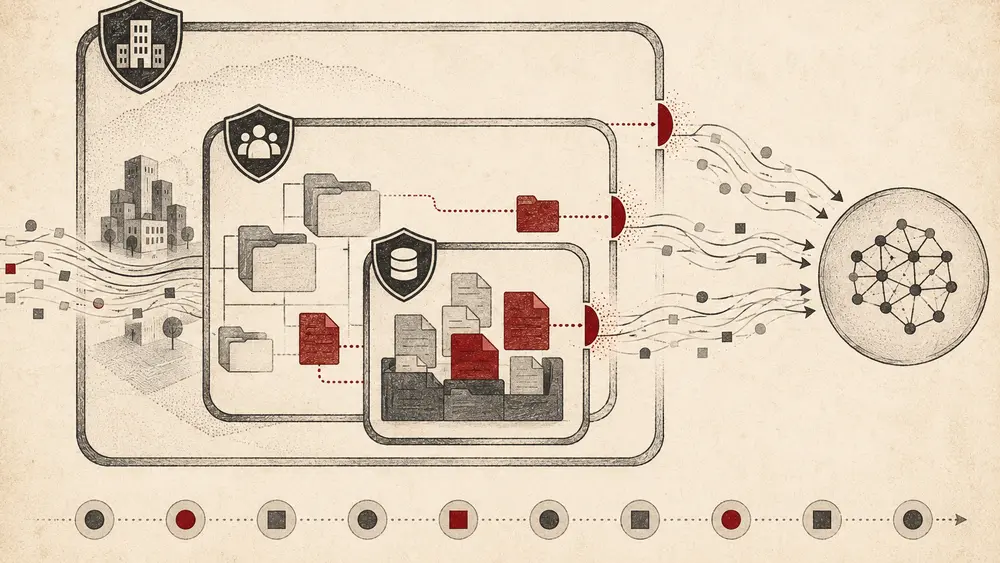
Place a rule at the narrowest administrative level that still owns the risk. Repository rules are easier for code owners to test. Enterprise rules are harder to bypass accidentally and better for requirements that must apply everywhere.
| Scope |
Best for |
Owner |
Main failure mode |
| Repository |
Product-specific algorithms, licensed source, local fixtures |
Repository administrator |
New repositories do not inherit a copied local convention |
| Organization |
Shared naming standards and repositories billed by one organization |
Organization owner |
Users licensed elsewhere may follow a different policy source |
| Enterprise |
Universal secrets patterns and regulated boundaries |
Enterprise owner |
An overbroad pattern disrupts many teams at once |
For a repository, open Settings → Copilot → Content exclusion and add one path pattern per list item. Inherited organization or enterprise rules appear in read-only gray boxes. A person with the Maintain role can view repository exclusions but cannot edit them.
For an organization, open Organization settings → Copilot → Content exclusion and provide repository mappings. At enterprise scope, use AI controls → Copilot → Content exclusion. Enterprise rules apply to all Copilot users in that enterprise; organization rules apply to users whose Copilot seat is assigned by that organization.
The official configuration guide is the source of truth for current paths and UI navigation. Do not invent a .copilotignore file because it resembles .gitignore. GitHub's documented administrative workflow is the settings policy or its REST API.
Build rules from data classification#
Start with why a file is sensitive, not with a giant list of extensions. Useful categories include:
- credentials and private keys that should be removed from the repository entirely;
- customer or patient fixtures containing real personal data;
- licensed third-party source with contractual restrictions;
- proprietary scoring, pricing, fraud, or security logic;
- incident material with temporary restricted access;
- generated or vendor trees that add cost without useful context.
The first category exposes a bad assumption: exclusions are not a safe way to store secrets in Git. Remove the secret, rotate it, and prevent recurrence with secret scanning. The exclusion can remain as defense in depth for local .env files, but it is not remediation.
Audit content exclusions with the GitHub REST API#
GitHub provides preview REST endpoints to get and set organization rules. The read endpoint requires an organization owner and a fine-grained token with Copilot content exclusion: read permission. Classic personal access tokens need either copilot or read:org.
Use a read-only export before changing policy:
#!/usr/bin/env bash
set -euo pipefail

: "${GITHUB_TOKEN:?Set a read-only GitHub token}"
: "${ORG:?Set the GitHub organization login}"

curl --fail-with-body --silent --show-error --location \
  --header "Accept: application/vnd.github+json" \
  --header "Authorization: Bearer ${GITHUB_TOKEN}" \
  --header "X-GitHub-Api-Version: 2026-03-10" \
  "https://api.github.com/orgs/${ORG}/copilot/content_exclusion" \
  | jq --sort-keys . \
  > "${ORG}-copilot-content-exclusions.json"

jq -e 'type == "object"' "${ORG}-copilot-content-exclusions.json" >/dev/null
printf 'Saved %s
' "${ORG}-copilot-content-exclusions.json"
This script fails on non-success HTTP responses, normalizes key order, and verifies that the saved response is an object. Keep the export in an access-controlled audit location; repository names and sensitive path conventions can themselves reveal architecture.
The corresponding update endpoint uses PUT /orgs/{org}/copilot/content_exclusion. Automating that write requires care because the operation replaces the ruleset, removes comments, and collapses duplicate keys. A safe deployment pipeline should fetch the current value, compare it with the proposed object, require approval, write the new object, fetch it again, and retain both snapshots.
Avoid using a long-lived owner token in CI. Prefer a GitHub App installation token with the narrow content-exclusion permission, short lifetime, protected environment, and an approval gate. The same least-privilege principle applies to the GitHub Copilot Slack integration, where an easy entry point must not imply broad repository authority.
How do you test exclusions in IDE CLI and app workflows#
A configuration is not finished when the settings page accepts YAML. Test the effective policy from each supported client your teams use.
Test the IDE path#
GitHub says policy changes can take up to 30 minutes to reach IDEs with settings already loaded. Restart Visual Studio or JetBrains to reload. In VS Code, run Developer: Reload Window from the Command Palette. Vim and Neovim fetch exclusions when a file is opened.
Then test both sides of the boundary:
- Open a nearby non-excluded file and make an edit that normally produces an inline suggestion.
- Open the excluded file and repeat the edit; no inline suggestion should appear.
- Close other editor files, attach the excluded file to a normal Copilot Chat prompt, and ask
explain this file.
- Confirm the response does not use or cite that file.
Do not run step 3 in IDE Agent or Edit mode and interpret access as a broken rule. Those modes are currently documented as unsupported.
Test Copilot CLI and the Copilot app#
Start a new CLI or app session after the policy has propagated. Use a synthetic canary file inside the excluded path containing a distinctive but non-secret sentence or function name, then ask a narrow question that can only be answered from that canary. The client should not use the file as context.
Repeat with a permitted canary in a neighboring path to prove the test is capable of succeeding. A denial-only test is weak: the model may fail for unrelated reasons. Record the client version, repository remote, authenticated account, policy source, test paths, time, and result.
Never put a real credential in a canary. Testing a privacy control by exposing actual sensitive data turns the test into the incident it was meant to prevent.
What content exclusions do not protect#
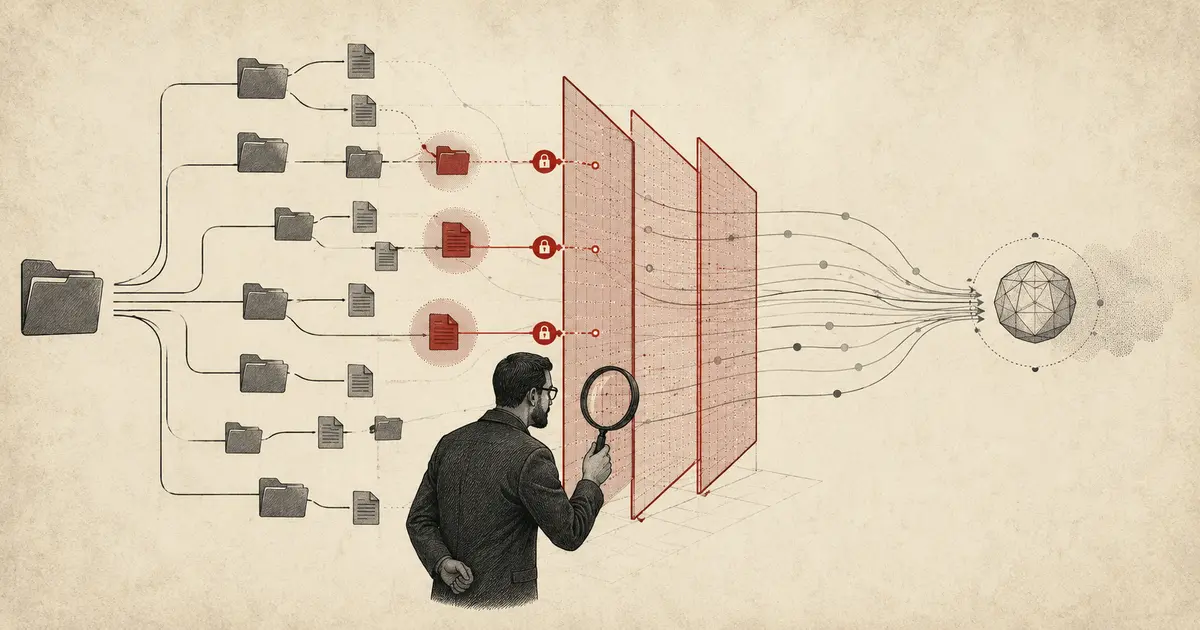
Content exclusions reduce what supported Copilot surfaces use as context. They do not create a complete data-loss-prevention system.
GitHub warns that an IDE can indirectly provide semantic information from an excluded file, including type information, hover definitions, and project properties such as build configuration. This is not the same as sending the full file, but it means “excluded” should not be interpreted as “no derived information can ever influence a response.”
Symlinks and remote filesystems are unsupported#
Rules currently do not apply to symbolic links or repositories located on remote filesystems. Containers, remote SSH workspaces, mounted network paths, and generated symlink trees need separate testing and OS-level boundaries.
IDE Agent and Edit modes remain unsupported#
The September release covers Copilot CLI and the Copilot app. It does not erase the documented limitation for Agent and Edit modes inside IDE Copilot Chat. Security guidance must name the product surface precisely; “Copilot agents support exclusions” is too broad.
A repository exclusion is not a filesystem ACL, encryption policy, secret scanner, network egress rule, or terminal permission. An agent may also generate artifacts—issues, branches, pull requests, logs, and summaries—that outlive the original session. Use sandboxing, least-privilege tokens, branch rules, and human review alongside exclusions.
The architecture in safe agentic code-review workflows keeps probabilistic analysis separate from deterministic enforcement. Apply the same discipline here: exclusion is a context filter, while CI and access controls remain the enforcement layer.
Roll out exclusions without breaking developer workflows#
Overbroad exclusions can make Copilot appear unreliable and drive developers toward unmanaged tools. Underbroad exclusions create false assurance. Use a staged rollout with evidence.
- Inventory sensitive classes. Identify data types, repositories, and owners before writing globs.
- Write positive and negative fixtures. For every pattern, record paths that must match and paths that must remain available.
- Start at repository scope. Validate syntax and workflow impact with one team before promoting universal rules.
- Test every client surface. IDE chat, CLI, app, code review, and remote development are not interchangeable.
- Measure breakage. Track support tickets, missing-context reports, policy exceptions, and unapproved tool adoption.
- Audit changes. Export the effective configuration and review who changed it, why, and when.
- Reassess unsupported modes. GitHub is actively changing surface coverage; stale limitations and stale assurances are equally dangerous.
Make exceptions time-bound. A permanent broad allow rule created to unblock one migration will eventually become invisible infrastructure. Record the business owner and expiry date, then test removal.
Frequently asked questions#
Does GitHub Copilot CLI respect content exclusions?#
Yes. As of September 2, 2026, GitHub says Copilot CLI and the GitHub Copilot app respect enterprise, organization, and repository content-exclusion policies. The support is generally available for Copilot Business and Copilot Enterprise customers.
Does Copilot Agent mode respect content exclusions?#
It depends on the surface. Copilot CLI and the standalone Copilot app now support exclusions, but GitHub's current documentation says Agent and Edit modes in Copilot Chat inside IDEs do not. Test and document each client separately.
Can I use a .copilotignore file for local exclusions?#
GitHub's current content-exclusion documentation does not define .copilotignore as the administrative mechanism. Configure rules in repository, organization, or enterprise settings, or manage organization rules through the documented REST API. Do not assume .gitignore or a similarly named local file enforces Copilot policy.
How long do Copilot exclusion changes take to apply?#
GitHub says changes can take up to 30 minutes to affect IDEs that already loaded settings. VS Code can reload with Developer: Reload Window, while Visual Studio and JetBrains can be restarted. For CLI and app validation, use a new session after propagation and test excluded and permitted canaries.
Do content exclusions work through symlinks or remote filesystems?#
No. GitHub currently lists symbolic links and repositories on remote filesystems as unsupported. Use filesystem permissions, workspace isolation, and client-specific tests for those environments.
Conclusion#
GitHub Copilot content exclusions now protect more agentic workflows, but the safe conclusion is narrower than “all agents are covered.” Configure rules from a data-classification decision, audit them through the documented policy layer, test every client with harmless canaries, and keep secrets, filesystem permissions, sandboxing, and merge controls outside this single filter.
 By Amaresh Adak14 min read
Comments
Sign in to join the discussion.
No comments yet. Be the first to share your thoughts.