A GPT Transcribe migration is not always a one-line replacement of whisper-1. The file endpoint remains familiar, but response formats, language hints, contextual inputs, Realtime behavior, and specialty features differ. A safe rollout starts by classifying each audio workflow before changing its model identifier.
Table of contents#
- How a GPT Transcribe migration changes the contract
- How should you choose between GPT Transcribe and GPT Live Transcribe
- How do you migrate recorded audio from Whisper
- How should prompt keywords and languages be used
- How do you migrate a live transcription session
- Which Whisper features need a compatibility branch
- How should you evaluate transcription quality
- How do you deploy the migration safely
- Frequently asked questions
How a GPT Transcribe migration changes the contract#
OpenAI released gpt-transcribe and gpt-live-transcribe on July 28, 2026. They divide speech-to-text work by delivery shape:
gpt-transcribe handles completed recordings, streamed processing of completed files, and transcription after a Realtime audio turn is committed.gpt-live-transcribe handles continuously arriving microphone, call, or media audio when low-latency partial text matters.
For ordinary recorded speech, OpenAI's current file transcription guide recommends starting with gpt-transcribe. Existing file integrations continue to call:
POST /v1/audio/transcriptions
The endpoint staying the same can create false confidence. The migration still changes the model's input and output contract:
| Concern |
Whisper-style integration |
GPT Transcribe migration |
| Model |
whisper-1 |
gpt-transcribe |
| Expected language |
language string |
languages array |
| Domain vocabulary |
Usually placed in prompt |
Separate prompt and keywords |
| Standard response |
Text or selected legacy formats |
JSON transcript with possible detected languages |
| Native SRT/VTT |
Supported by Whisper |
Keep a compatible legacy branch |
| Word timestamps |
Available through supported Whisper formats |
Keep a timestamp-capable branch |
| Live transcription |
Realtime Whisper model |
gpt-live-transcribe |
Do not treat the release as a forced big-bang migration. OpenAI's official Whisper migration cookbook explicitly recommends checking compatibility and evaluating representative audio before switching.
How should you choose between GPT Transcribe and GPT Live Transcribe#
Choose from the user experience backward, not from the model name.
| Workload |
Recommended path |
Why |
| Uploaded meeting or podcast |
gpt-transcribe file API |
Audio is already complete |
| Batch call recording |
gpt-transcribe file API |
Final accuracy matters more than immediate deltas |
| Browser captions |
gpt-live-transcribe over WebRTC |
Audio arrives continuously from a user device |
| Server-side call stream |
gpt-live-transcribe over WebSocket |
Server owns the continuous audio pipeline |
| Recorded turn inside Realtime |
gpt-transcribe after commit |
Transcript can wait for the bounded turn |
| Subtitle export |
Compatible Whisper branch |
Native subtitle output is still required |
| Speaker-labelled meeting |
gpt-4o-transcribe-diarize file API |
The output requires diarization |
A completed file can stream transcript events while it is processed, but that does not make it live audio. Conversely, a Realtime session can wait for an explicit audio-buffer commit before producing a final transcript. Streaming output and continuously arriving input are different design choices.
The price difference reinforces that separation. As of July 29, 2026, OpenAI lists estimated transcription costs of $0.0045 per minute for gpt-transcribe and $0.017 per minute for gpt-live-transcribe. At 1,000 minutes, that is approximately $4.50 versus $17.00, before considering the rest of your infrastructure. Do not use the Realtime path for an overnight batch merely because its API feels more interactive.
How do you migrate recorded audio from Whisper#
OpenAI accepts completed files up to 25 MB in mp3, mp4, mpeg, mpga, m4a, wav, and webm formats. Larger inputs need preprocessing or chunking before upload.
Start with an explicit baseline:
python -m pip install --upgrade openai
export OPENAI_API_KEY="your-api-key"
The smallest Python migration preserves the endpoint and SDK method:
from pathlib import Path

from openai import OpenAI

client = OpenAI()
audio_path = Path("meeting.wav")

with audio_path.open("rb") as audio:
    transcript = client.audio.transcriptions.create(
        model="gpt-transcribe",
        file=audio,
        response_format="json",
    )

print(transcript.text)

detected_languages = [
    item.code for item in getattr(transcript, "languages", [])
]
print("Detected languages:", detected_languages)
Do not assume languages always contains a prediction. An empty array is valid when the model cannot identify a language reliably; it does not mean the request failed or the audio contained silence.
If your current code asks Whisper for text, verbose_json, srt, or vtt, stop before swapping the model. Verify that every downstream parser, subtitle renderer, timestamp index, and archive consumer can handle the new JSON contract. A model call returning 200 OK does not prove the pipeline remains compatible.
For larger recordings, prefer splitting at known silence or section boundaries rather than arbitrary byte positions. Preserve a small overlap or carry-forward context so names and sentences are not broken at chunk edges. The exact segmentation policy should be tested against the audio your application actually receives.
How should prompt keywords and languages be used#
The new context fields solve different problems:
| Field |
Intended input |
Example |
prompt |
Free-form setting or topic |
A bilingual clinic appointment call |
keywords |
Literal terms that may be spoken |
Product names, medication names, account IDs |
languages |
Expected spoken languages |
["en", "hi", "bn"] |
Use the fields deliberately:
from openai import OpenAI

client = OpenAI()

with open("support-call.wav", "rb") as audio:
    transcript = client.audio.transcriptions.create(
        model="gpt-transcribe",
        file=audio,
        prompt=(
            "A customer-support call about an enterprise subscription "
            "and invoice reconciliation."
        ),
        extra_body={
            "keywords": [
                "Premium Plus",
                "AC-42",
                "Net-30",
            ],
            "languages": ["en", "hi"],
        },
    )

print(transcript.text)
prompt should describe the recording, not repeat “transcribe this audio.” Put literal domain terms in keywords, and include only terms that could genuinely be spoken. Keywords are hints, not forced output, so evaluate whether they improve exact entity recognition without causing unspoken terms to appear.
For gpt-transcribe, languages replaces the singular language field. Do not send both. The API also rejects a request if a keyword contains <, >, carriage returns, or line feeds, or if the prompt exceeds the model's input limit. Validate customer-managed keyword lists before building multipart data:
def validate_keywords(values: list[str]) -> list[str]:
    forbidden = {"<", ">", "\r", "
"}
    cleaned: list[str] = []

    for value in values:
        candidate = value.strip()

        if not candidate:
            continue

        if any(char in candidate for char in forbidden):
            raise ValueError(f"Invalid transcription keyword: {candidate!r}")

        cleaned.append(candidate)

    return cleaned
Context helps only when it is relevant. Treat prompt, keyword, and prior-turn selection as an engineered input surface, not an unlimited glossary. The same principle appears in context engineering for AI agents: irrelevant context consumes capacity and can reduce signal quality.
How do you migrate a live transcription session#
For live audio, create a Realtime session with type: "transcription" and select gpt-live-transcribe. Use WebSocket for server-side pipelines or WebRTC when a browser or mobile client supplies the audio directly.
This session example uses 24 kHz PCM and disables automatic turn detection so the application decides when to commit:
{
  "type": "session.update",
  "session": {
    "type": "transcription",
    "audio": {
      "input": {
        "format": {
          "type": "audio/pcm",
          "rate": 24000
        },
        "transcription": {
          "model": "gpt-live-transcribe",
          "prompt": "A technical support call about a subscription.",
          "keywords": ["AC-42", "Premium Plus"],
          "languages": ["en", "hi"],
          "delay": "low"
        },
        "turn_detection": null
      }
    }
  }
}
Send each base64-encoded PCM chunk as it becomes available:
ws.send(
  JSON.stringify({
    type: "input_audio_buffer.append",
    audio: base64Pcm16,
  }),
);
With automatic turn detection disabled, explicitly commit the buffer:
ws.send(
  JSON.stringify({
    type: "input_audio_buffer.commit",
  }),
);
Handle deltas for the UI and the completed event as the durable turn result:
ws.on("message", (data) => {
  const event = JSON.parse(data.toString());

  if (
    event.type ===
    "conversation.item.input_audio_transcription.delta"
  ) {
    process.stdout.write(event.delta);
  }

  if (
    event.type ===
    "conversation.item.input_audio_transcription.completed"
  ) {
    console.log("
Final transcript:", event.transcript);
  }
});
Do not persist the concatenated UI deltas as the authoritative transcript without testing correction behavior. The completed event is the stable boundary for downstream storage, analytics, or workflow automation.
Which Whisper features need a compatibility branch#
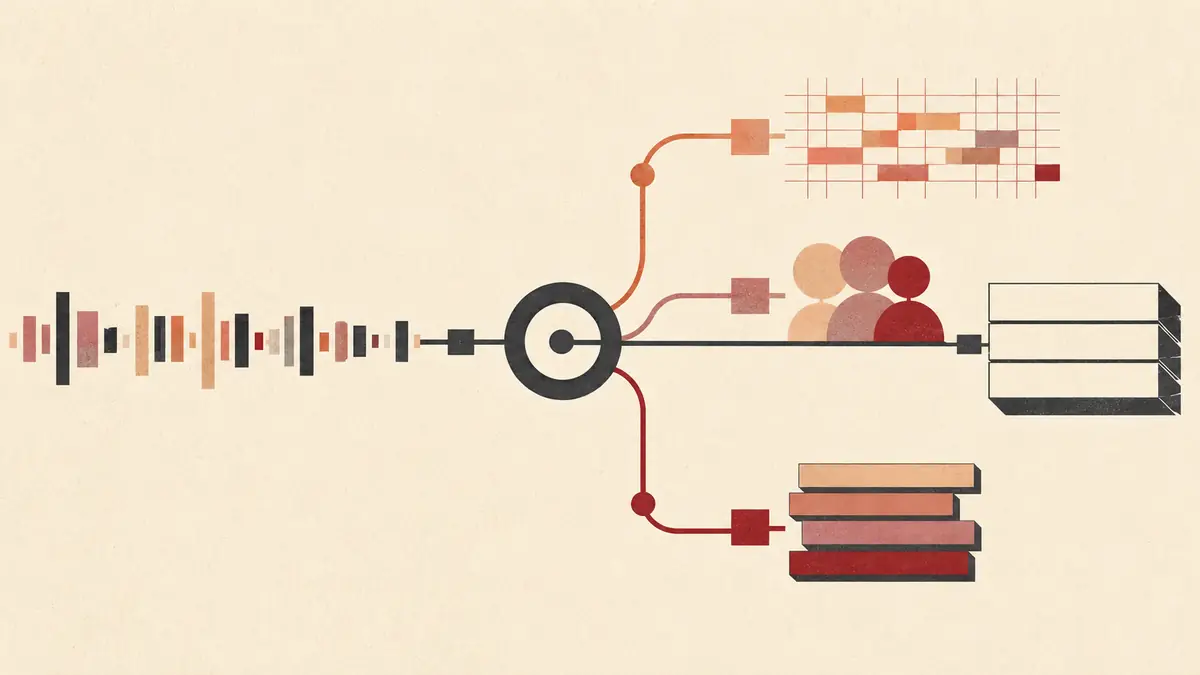
Some capabilities do not have a drop-in replacement in the new default models:
- SRT or VTT: retain
whisper-1 when your integration requires native subtitle output.
- Word or segment timestamps: retain a model and response format that explicitly supports the required timestamp granularity.
- English translation: retain
/v1/audio/translations with a supported translation model.
- Speaker diarization: use
gpt-4o-transcribe-diarize with response_format: "diarized_json".
- Realtime speaker labels: the diarization model is not supported in the Realtime API.
For diarization of recordings longer than 30 seconds, OpenAI requires chunking_strategy: "auto" or an explicit voice-activity-detection configuration.
This is why a feature matrix matters more than a single global environment variable. Route by output contract:
def choose_transcription_route(
    *,
    is_live: bool,
    needs_subtitles: bool,
    needs_timestamps: bool,
    needs_speaker_labels: bool,
) -> str:
    if is_live:
        if needs_speaker_labels:
            raise ValueError(
                "Realtime transcription does not support diarization"
            )
        return "gpt-live-transcribe"

    if needs_speaker_labels:
        return "gpt-4o-transcribe-diarize"

    if needs_subtitles or needs_timestamps:
        return "whisper-1"

    return "gpt-transcribe"
Make the unsupported combinations fail loudly. Silent degradation—from speaker-labelled compliance records to plain text, for example—is worse than a visible migration blocker.
How should you evaluate transcription quality#
Do not accept a vendor-wide accuracy statement as evidence for your calls, accents, microphones, and vocabulary. Build a fixed evaluation set from consented, representative recordings.
Compare three configurations:
- Your current Whisper baseline.
- A model-only switch to
gpt-transcribe.
gpt-transcribe with reviewed prompts, keywords, and language hints.
Measure:
- Word error rate on complete transcripts.
- Exact-match accuracy for names, medications, product names, IDs, amounts, phone numbers, and email addresses.
- Missing or duplicated speech around chunk boundaries.
- Short utterances such as yes, no, codes, and confirmations.
- Performance under telephony compression, noise, accents, and code-switching.
- Keyword hallucination: hinted terms inserted despite not being spoken.
- Empty or incorrect detected-language output.
- Time to first delta and final-turn completion for live sessions.
Entity accuracy often matters more than average word error rate. A transcript can read fluently while changing an invoice number, dosage, or account identifier. Weight critical entities separately and require manual review where mistakes carry legal, medical, or financial consequences.
How do you deploy the migration safely#
Use a shadow-and-canary rollout:
- Run the new model asynchronously on a small sample while the old result remains authoritative.
- Store normalized evaluation metrics, not sensitive audio or transcripts beyond your approved retention policy.
- Compare outputs by workload category and language.
- Route a small percentage of eligible production jobs to the new model.
- Keep subtitle, timestamp, translation, and diarization workloads on their specialty branches.
- Increase traffic only when quality, latency, error rate, and cost thresholds hold.
- Keep an immediate rollback switch until the new route has survived normal and peak traffic.
This is the same operational discipline used in the site's GitHub Models migration guide: isolate compatibility changes, canary the new path, and retain a tested rollback instead of trusting a successful SDK call.
Log model ID, route type, audio duration, input format, detected language codes, latency, error category, and evaluation cohort. Do not log API keys, raw authorization headers, or sensitive transcript contents by default.
Frequently asked questions#
Is GPT Transcribe a drop-in replacement for Whisper?#
Only for simple recorded-audio workflows that consume plain transcript text. Integrations using SRT/VTT, timestamps, translation, or speaker labels need a compatibility branch or specialized model.
Should live microphone audio use GPT Transcribe?#
Use gpt-live-transcribe for continuously arriving microphone or call audio. Use gpt-transcribe for completed files or when a bounded Realtime turn is committed before transcription.
Does GPT Transcribe return the detected language?#
It can return a languages array with detected-language objects. An empty array is valid when no reliable prediction is available. gpt-live-transcribe does not provide the same detected-language output in its initial contract.
Can keywords force a term into the transcript?#
No. Keywords are contextual hints for terms that may be spoken. You must test for the opposite risk: an overly broad hint list causing unspoken terms to appear.
What happens to SRT, VTT, and timestamps?#
Keep a supported Whisper or other compatible branch when native subtitles or timestamp granularity is required. Do not synthesize timing from plain transcript text and present it as model-provided timing.
Conclusion#
A GPT Transcribe migration should split recorded, live, subtitle, timestamp, translation, and diarization requirements before changing code. Move ordinary file jobs to gpt-transcribe, live streams to gpt-live-transcribe, and preserve specialty routes where the new defaults do not match the output contract. Evaluate real audio, canary the cutover, and treat accurate entities and recoverable deployment as release requirements.
 By Amaresh Adak11 min read
Comments
Sign in to join the discussion.
No comments yet. Be the first to share your thoughts.